VIDEO TUTORIAL INCLUDED
See how to use your planner.
Follow the guided video to get familiar with the spreadsheet. Your download includes the tutorial link.
One planner. A clearer money picture.
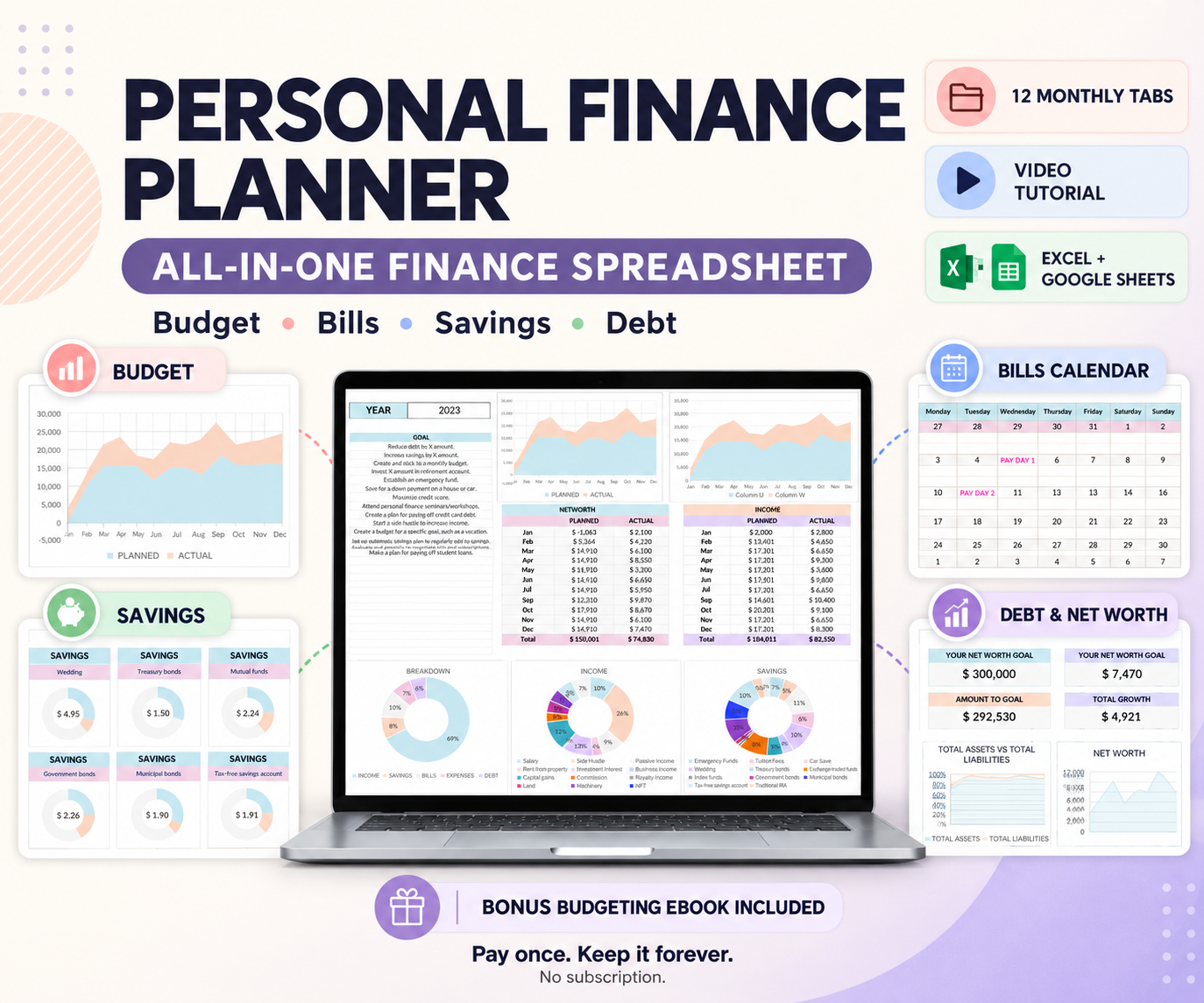
Plan your budget. Keep track of bills. See your savings and debt together in one finance spreadsheet.
Pay once. Keep your files. No subscription.
Excel + Google Sheets
Guided video tutorial
One-time payment
Inside your finance planner
Start with your budget. Add the trackers you need as you go.
Annual and monthly views help you compare your budget with your recorded spending.
Record income and expenses in one place, with categories that keep things organized.
Keep payment dates and upcoming bills together in your calendar.
Track savings and sinking funds for the things you’re planning ahead for.
Organize your debts and follow your net worth as you update your numbers.
Put your financial priorities in writing and use them to guide your spending plans.
Follow the guided video to get familiar with the spreadsheet. Your download includes the tutorial link.
A 24-page guide to budgeting, savings and debt, with a checklist to help you put it into practice.
Use the Excel file or make your own copy in Google Sheets.
Set up your categories, budget and goals with the tutorial.
Enter your transactions and review your numbers as you go.
Everything in one purchase
One-time payment. No monthly fees.
Digital download. Your downloaded files to keep.
The Excel planner, Google Sheets access instructions, a video tutorial link, and the 24-page Master Your Finances eBook.
No. Pay $9.99 once and keep your downloaded files. There is no recurring planner subscription.
A Google account for Google Sheets, or Microsoft Excel for the Excel version. Excel is not included. A computer is recommended for setup and viewing the full dashboards.
No. You enter your own financial information. The planner does not import bank transactions or make payments.
No. This is a digital product. Your purchase includes download and access instructions.